Your website was built on WordPress years ago. It works, mostly. But it feels slower than it should, the plugin update list never ends, and every redesign conversation seems to come back to the same question: “Should we stay on WordPress or move to something newer?”
Lately, one of the most common “something newer” answers is Astro, a modern framework for building fast, content-focused websites. In this guide, we’ll explain what Astro is in plain English, how it compares with WordPress, when switching makes sense (and when it doesn’t), how modern content management systems fit in, and what all of this has to do with AI search.
At Nova Advertising, we’ve built client websites on WordPress for years, and we’re now moving our own website to Astro, so we’re seeing both sides up close. Our goal here isn’t to sell you on one platform. It’s to help you choose the right fit for your business.
What Is Astro? (The Non-Technical Version)
WordPress is a content management system (CMS) that builds each page when a visitor requests it, pulling content from a database and running it through your theme and plugins. That flexibility is why WordPress powers 40.1% of all websites, according to W3Techs.
Astro takes a different approach. It’s a web framework that describes itself as “optimized for building fast, content-driven websites.” Most Astro pages are built ahead of time into lightweight HTML files, and Astro sends only the JavaScript a page truly needs. Interactive pieces, like a booking widget or a cost calculator, load as small “islands” while the rest of the page stays plain, fast HTML.
Astro also has serious backing. In January 2026, Cloudflare announced it was acquiring the company behind Astro and said Astro “will remain open source.” The announcement noted that brands like Unilever, Visa, and NBC News use Astro.
Astro vs. WordPress at a Glance
- How pages are built: WordPress builds pages on request from a database. Astro usually builds pages in advance as lightweight HTML.
- Speed: WordPress can be fast with good hosting, caching, and discipline. Astro is fast by default because there’s less to load.
- Security: WordPress depends heavily on keeping plugins and themes updated. A typical Astro site has no public database or plugin login screen to attack.
- Editing content: WordPress has a familiar, built-in editor. Astro is usually paired with a separate CMS for editing (more on that below).
- Plugins and features: WordPress has a massive plugin library. Astro relies more on custom development and integrations.
- Who maintains it: WordPress owners can handle many updates themselves. Astro sites typically need a developer for structural changes.

Why Speed and Performance Matter for Your Business
Website speed isn’t a vanity metric. Slow pages frustrate the homeowner trying to book an emergency plumber from their phone, or the prospective patient comparing three dental practices on a lunch break. Google measures real-world page experience with Core Web Vitals, and recommends these targets:
- Largest Contentful Paint (LCP): main content loads within 2.5 seconds
- Interaction to Next Paint (INP): the page responds to taps and clicks in 200 milliseconds or less
- Cumulative Layout Shift (CLS): a layout shift score of 0.1 or less, so buttons don’t jump around as the page loads
Astro’s website cites HTTP Archive and Chrome UX Report data showing that 71% of Astro sites pass Core Web Vitals, compared with 48% of WordPress sites. That comparison doesn’t control for the type or age of the sites involved, so treat it as a general trend rather than a guarantee. A well-built WordPress site can pass Core Web Vitals, and a poorly built site on any platform can fail. Still, Astro makes “fast” the default instead of something you fight for.
The Security and Maintenance Side
WordPress itself is well maintained. The risk usually comes from add-ons. Patchstack’s State of WordPress Security in 2026 report found 11,334 new vulnerabilities in the WordPress ecosystem in 2025, with 91% in plugins and 9% in themes. Only six were in WordPress core.
That doesn’t mean WordPress is unsafe. It means a WordPress site needs ongoing care: updates, backups, monitoring, and a careful approach to plugins. (That’s exactly what our website maintenance service covers.)
A typical Astro site has fewer moving parts on the public side: no plugin stack running on every page request and no public admin login on the same server. Your content editor still needs to be secured, but the attack surface is usually much smaller.
Where AI Fits In
This year’s big shift is AI search. Customers ask ChatGPT, Gemini, and Google’s AI Overviews for recommendations, and those tools need to read your website to describe your business accurately. Your platform affects that in three ways.
1. AI tools need to read your content easily
A 2024 study by Vercel and MERJ found that none of the major AI crawlers they tested, including OpenAI’s and Anthropic’s, rendered JavaScript. Google’s Gemini crawler was an exception. If important content only appears after JavaScript runs, some AI tools may never see it.
To be fair, WordPress also sends readable HTML, so this mainly affects JavaScript-heavy sites. Astro’s advantage is that its pages are lean, clean HTML by default. Your services, FAQs, and location details are right there for search engines and AI tools to read. For more context, see our post on AI search vs. traditional search.
2. Structured content is easier to reuse
AI tools reward clear, specific, well-organized information. Astro’s content collections, plus modern CMS platforms, encourage you to store content in structured fields: services, service areas, team bios, FAQs, and reviews. That structure makes it easier to keep information consistent across your site and to add schema markup that helps search engines understand it.
3. AI-assisted development and content workflows
Because Astro sites are built from organized code and content files, developers can use AI coding assistants to speed up routine updates, like a new location page or a landing page for a seasonal promotion. Your team still reviews everything, but turnaround can be faster. On the content side, AI can help draft outlines and first drafts in either platform. Just keep a human expert in charge of accuracy, especially for dental and legal content.
Modern CMS Options: How You’ll Edit Your Astro Site
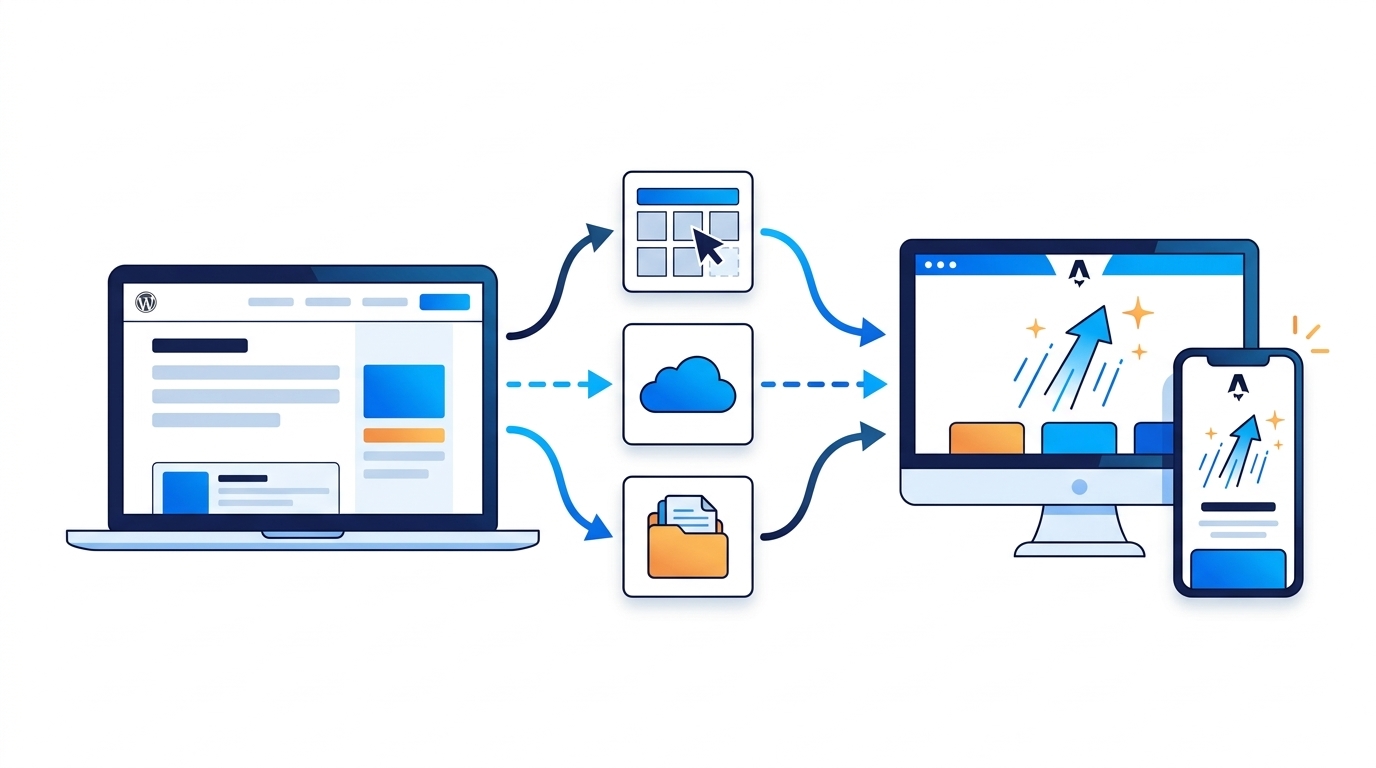
The most common worry we hear is: “If we leave WordPress, how will my team update the site?” The answer is a CMS that sits behind the scenes while Astro handles the front end. Astro’s documentation lists dozens of CMS integrations. Here are the main types:
- Headless WordPress. Keep the WordPress editor your team already knows, and let Astro build the public website. It’s a good middle ground if you have years of blog content or a team that’s comfortable in WordPress.
- Visual, hosted CMS platforms. Tools like Storyblok, Sanity, and Contentful give editors a polished interface, and some include visual, drag-and-drop-style page editing. Great for marketing teams that update the site often.
- Open-source, self-hosted CMS platforms. Payload, Strapi, and Directus give you full control over your content and data, with no third-party content platform in the middle. Better suited to larger or more custom projects.
- Git-based CMS tools. Keystatic, TinaCMS, and Decap CMS store content as files alongside the website code. They’re lightweight and inexpensive to run, and work well for small sites that change occasionally.
There’s no single best choice. The right CMS depends on how often you update content, who does the updating, and your budget.
When Should You Switch From WordPress to Astro?
Astro is a strong fit when several of these are true:
- Your current site is slow, and caching or optimization plugins haven’t fixed it.
- You’re paying for constant plugin conflicts, updates, or security cleanups.
- Your site is mostly content and lead generation: service pages, location pages, a blog, and contact forms.
- You’re planning a redesign anyway (see our website redesign guide).
- You want a faster, more secure foundation for AI search and SEO.
- Your content updates are predictable, and your team is comfortable with a modern CMS.
WordPress may still be the better choice if:
- You rely on specific plugins, like a complex membership system or a large WooCommerce store.
- Several non-technical team members edit pages daily and need full layout control.
- Your current WordPress site is fast, secure, and converting well. In that case, optimize it rather than rebuild it.
Industry Examples
Home services (HVAC, plumbing, roofing, landscaping). Most leads come from service and location pages viewed on phones, often in a hurry. A fast Astro site with dozens of location pages, such as “AC repair in Reston” or “roof replacement in Plano,” can stay quick no matter how much it grows.
Dental practices. Patients want fast pages, clear service details, insurance information, and easy booking. Astro works well for the marketing site, while online booking and patient forms are handled by secure, HIPAA-conscious third-party tools. Talk with your compliance advisor about any tool that handles patient information.
Law firms. Practice area pages, attorney bios, and FAQs are exactly the kind of structured content Astro handles well. Firms with frequent blog updates may prefer headless WordPress or a visual CMS. As always, review content against your state bar’s advertising rules. (This is general marketing information, not legal advice.)
Northern Virginia and Dallas. In competitive markets like Fairfax, Arlington, McLean, and Dallas, many businesses are fighting for the same few spots in the map pack and AI answers. A faster, cleaner website won’t win on its own, but it removes a technical disadvantage.
Why We’re Moving Our Own Website to Astro
We’re putting this into practice ourselves: Nova’s own website is in the process of moving from WordPress to Astro. We’ll share what we learn, including speed results, once the new site is live.
Is Astro the Future?
For content-driven business websites, the momentum is real: modern frameworks like Astro, structured content, and AI-friendly HTML are heading in the same direction. But WordPress isn’t going away, and for many businesses it remains the right platform. Our view:
- The future is fast, structured, and easy for AI to read. Astro makes that the default.
- The platform should fit your business. A great WordPress site beats a poorly planned Astro migration.
- Hybrid setups are increasingly common, such as WordPress for editing and Astro for the public website.
Frequently Asked Questions
Will switching to Astro hurt my SEO?
It shouldn’t if the migration is done carefully. That means keeping (or properly redirecting) your URLs, carrying over page titles and meta descriptions, preserving content, and resubmitting your sitemap. Most SEO losses after a migration come from skipped redirects, not the platform itself.
Can I still edit my website myself?
Yes. Pair Astro with a CMS like headless WordPress, Storyblok, Sanity, or TinaCMS, and your team can update text, images, and blog posts without touching code.
Is Astro more expensive than WordPress?
It depends on the project. Astro builds often involve more custom development up front, but they can reduce ongoing plugin, security, and performance costs. We’ll compare both options for your specific site during a consultation.
Can I move my existing WordPress blog to Astro?
Yes. Content can be migrated, or you can keep WordPress as a headless CMS so your existing posts and editing workflow stay in place.
Do Google and AI tools prefer Astro sites?
No platform gets preferential treatment. Search engines and AI tools favor pages that load quickly, are easy to read, and clearly answer questions. Astro makes that easier to achieve, but good content still matters most.
Not Sure Which Platform Is Right for You?
Nova Advertising designs and builds custom websites for home service companies, dental practices, and law firms in Northern Virginia, Washington DC, and Dallas, and we’re moving our own site to Astro. Whether you stay on WordPress or are considering a switch, we can help you weigh the options. Learn more about our website design and development services, or contact Nova Advertising for a free consultation. We’ll review your current site’s speed, security, and AI search readiness and talk through which platform fits your goals.



Get NOVA marketing insights in Google Search
Add NOVA Advertising as a preferred source for practical updates on SEO, AI search, web design, paid advertising, and local marketing.